Langua: AI language learning
- 4.4
- Rating
- 100.00K
- Installs
- Free
- Price

 Analysis by App-foxy
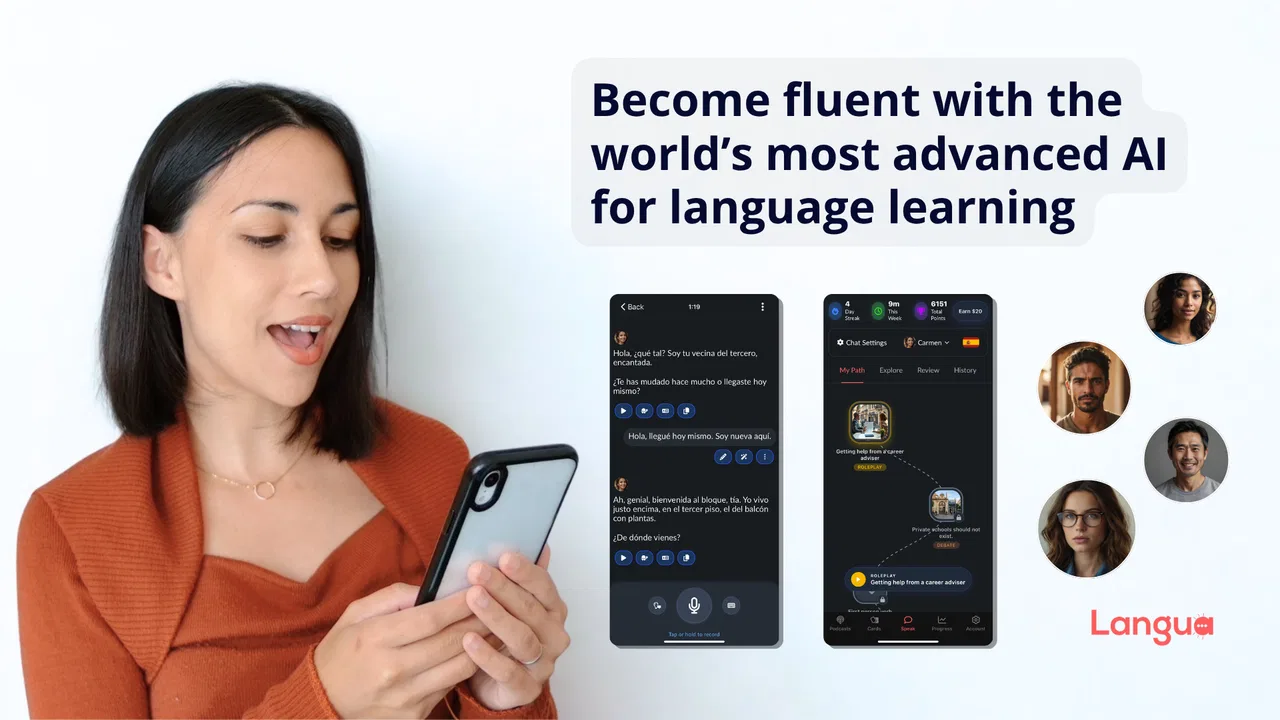
I came away from Langua with the feeling that it is trying to solve a very specific language-learning problem: helping me practise when I do not have a teacher, a conversation partner, or the patience to work through another fixed exercise. Developed by LanguaTalk, this free education app puts an AI conversation experience at the centre of its learning approach. That makes it more interesting than a basic vocabulary drill, but it also means the value depends heavily on how comfortable you are learning through open-ended practice.
The app has built a noticeable audience for a relatively recent release. It arrived on December 23, 2024, and its Android listing shows over one hundred thousand installs, with an average score of 4.4 from around two thousand ratings. Those figures suggest that Langua is not an experimental curiosity anymore, although I would still treat it as a developing product rather than a completely mature replacement for a full language course.
How Langua feels in everyday language practice
The first thing I noticed is that Langua makes the jump from “studying a language” to “trying to use it” feel smaller. Traditional learning apps often give me a prompt with one correct answer, then immediately tell me whether I succeeded. That format is useful for memorising foundations, but it does not prepare me well for the hesitation, incomplete sentences, and unexpected replies of a real conversation. Langua is more appealing when I want to practise forming thoughts rather than simply recognising them.
You May Also Like

 Blood Strike: 2.5 Anniversary
Blood Strike’s Loadouts Turn Every Drop Into a Tactical Gamble
A close look at Blood Strike’s custom loadouts: how fast access to signature weapons reshapes its battle royale rhythm, rewards preparation, and narrows the gap between fights.

 Pandora - Music & Podcasts
Pandora’s Music Is Easy to Start, but Harder to Recover
Pandora’s strength is its low-effort path from a seed to a station. Its weak spot is how much confidence it asks you to place in connection, setup, and quiet recovery.

 8 Ball Pool
 Is Built on Rivalries, Rematches, and Routine
A close look at the rivalries, rematches, shared routines, and unanswered safety questions that turn a quick pool match into a persistent mobile community.

 Samsung Music
’s Quiet Strength Is Playing What You Already Own
Its reach comes less from spectacle than from dependable access to a personal library. That simplicity is both the app’s strongest retention engine and its ceiling.

 AccuWeather: Weather Radar
AccuWeather Review: A Quick, Clear Forecast for Everyday Decisions
For everyday plans, the best forecast is the one you can understand quickly. AccuWeather makes rain timing, radar, and local conditions easy to act on, with a few trade-offs.

 Hill Climb Racing
Why Hill Climb Racing Still Turns Crashes Into One More Run
A tiny car, a bumpy hill and one more upgrade: Hill Climb Racing keeps resurfacing because its simple chaos makes every near-miss feel personal.
More From Our News Desk



I would describe it as an AI language-learning companion rather than a complete curriculum. That distinction matters. If you need a carefully sequenced path from the alphabet to advanced grammar, a conventional course may give you clearer structure. Langua is stronger when you already know enough to attempt a sentence and want repeated opportunities to express yourself without feeling embarrassed.
In my experience, the most productive sessions are short and purposeful. I might open it before work and rehearse how to introduce myself, explain a problem, or make a request. Later, I can return to a different situation instead of repeating the same isolated word list. This scenario-based approach gives practice a practical edge: I am not only asking whether I remember a word, but whether I can use it while keeping a conversation moving.
The biggest strength is the low-pressure space to make imperfect sentences. I can experiment more freely with an AI than I usually would with a tutor or native speaker. That is especially useful for learners who understand more than they can say. The app encourages active recall, and active recall is where many otherwise confident learners discover gaps.
Speed expectations during normal sessions
Langua feels most useful when I treat it as an on-demand practice tool, not as an app I must spend a long uninterrupted period inside. Starting a quick exchange and responding to a few prompts fits naturally into a commute, a lunch break, or the final minutes before a lesson. The experience is built around interaction, so the perceived speed depends less on scrolling through screens and more on how quickly I can understand, answer, and continue.
That design also changes what “fast” means here. A flashcard app can move rapidly because each activity is tightly bounded. Langua may feel slower in a single exchange because I am processing language, composing an answer, and considering corrections or alternatives. I do not see that as wasted time. For speaking confidence, the slower mental work is often the part I actually need.
One useful habit is to begin with a narrow goal instead of opening the app without a plan. Before starting, I decide whether I want to practise travel language, casual conversation, workplace phrases, or simply speaking in the target language for a few minutes. This reduces wandering and makes it easier to judge whether the session helped. It also prevents the common problem of finishing an AI conversation without remembering what I learned from it.
For a beginner, the initial pace may still feel demanding. Even if the app helps with language learning, an AI conversation does not automatically provide the same visual scaffolding as a lesson built around pictures, matching tasks, and carefully introduced vocabulary. I would pair Langua with a structured beginner resource if I were starting from zero. It becomes more convincing once I can produce basic phrases and understand simple replies.
What happens when I use it heavily
The app’s workload is unusual compared with a standard quiz-based language tool. The demanding part is not necessarily moving between menus; it is sustaining attention through several rounds of conversation. A long session can become mentally tiring because I am listening, reading, recalling words, checking meaning, and deciding how much detail to include. That is a learning benefit, but it can also make the app feel heavier than a five-minute vocabulary review.
I get better results by dividing intensive practice into focused blocks. In one block, I might concentrate on speaking naturally without stopping to analyse every mistake. In another, I review the expressions that caused hesitation. Trying to do both at once can interrupt the flow and turn a conversation into a constant self-editing exercise. Langua works best for me when fluency practice and correction-focused practice have distinct purposes.
A second practical tip is to keep a small personal list outside the app. When I encounter a phrase I want to reuse, I write down the phrase and one situation where it would sound natural. This prevents the conversation from becoming disposable. The value of an AI exchange is much higher when I carry a few useful expressions into the next day and deliberately use them again.
Heavy use also exposes an important trade-off. AI conversation is flexible, but flexibility can make progress harder to measure than in a course with fixed units. I may feel more comfortable after several sessions without having a neat completion bar to prove it. Learners who need visible milestones should create their own simple record, such as noting the topic practised, the phrases remembered, and the moments where communication broke down.
That is one of the app’s less obvious limitations: it can generate plenty of practice, but I still need to manage the learning process. It is not a substitute for deciding what I want to improve. If I simply chat without reviewing patterns, I may enjoy the experience while repeating the same grammar mistakes.
Reliability and the importance of recovery
My view of Langua is positive when I see it as a flexible practice layer, but I would not make it the only part of a serious study routine. AI tools can be helpful precisely because they respond to many different prompts, yet that openness means the learner has to judge whether an explanation or correction makes sense. When a sentence matters for an exam, professional message, or sensitive conversation, I would verify it with a trusted reference or teacher rather than accepting every suggestion automatically.
Recovery is also part of the experience. If I lose concentration or a conversation moves beyond my level, the best response is not to abandon the session. I restart with a simpler topic, ask for a slower explanation, or switch from free expression to reviewing one sentence. This makes the app more forgiving than a rigid lesson that marks the activity as failed, but it requires me to take control instead of waiting for a perfect sequence.
I find this especially relevant for learners who are nervous about speaking. The app gives me room to try again immediately, which is valuable after a clumsy answer. However, a successful recovery should involve understanding what went wrong. Repeating a sentence until it looks correct is not enough; I want to know whether the problem was word choice, word order, pronunciation, or simply a lack of confidence.
The developer’s positioning around advanced AI is clear, but I judge the product by the quality of the learning loop rather than by that claim alone. The useful loop is simple: attempt a message, notice the gap, understand a better version, and reuse it later. When Langua supports that cycle, it feels genuinely practical. When I use it only as an endless conversation generator, the educational benefit becomes less certain.
Device limits, cost, and who should use it
On Android, the app supports devices running version 7.0 or later, so compatibility covers a broad range of phones. It is rated for Everyone 10+, which makes it approachable for younger learners as well as adults, although a parent or teacher may still want to guide how children use an AI conversation tool. The current version is 2.2.0, a sign that the app is receiving ongoing iteration rather than sitting untouched.
Langua is free to install, which makes trying its central idea relatively easy. The important cost distinction is that in-app purchases range from $19.90 to $199.90 per item. I would not commit to a paid option simply because the free entry point is attractive. First, I would test whether the conversation style suits my level, whether I can maintain a regular habit, and whether the corrections are useful for the language I am studying.
This pricing structure makes the app a better fit for committed learners than for someone who only wants occasional translation help. If I expect to use it several times a week and value flexible practice, a paid purchase may be easier to justify. If I only need a phrase for a holiday or want a few free exercises, a traditional free course or phrasebook may be more sensible.
Resource demands are also worth considering in practical terms. An AI-focused language app naturally asks more from a phone session than a static dictionary or downloaded flashcard deck because the experience depends on active interaction. I would use it with a stable connection and enough battery for a conversation rather than treating it like an entirely offline reference. For quick revision in a low-connectivity situation, a downloaded vocabulary tool is likely to be the safer companion.
Another question is whether it can replace a human tutor. In my opinion, no. It can provide repetition, confidence-building, and immediate practice, but a tutor can understand personal goals, notice recurring habits across weeks, and adapt explanations to a learner’s background. Langua is most valuable between lessons or for people who cannot afford regular tutoring, not as proof that human feedback is unnecessary.
How it compares with familiar alternatives
Compared with flashcard apps, Langua is less efficient for memorising a large set of words quickly, but more useful for testing whether I can retrieve those words inside a meaningful exchange. Compared with grammar-first courses, it offers less of a clearly staged syllabus, yet it gives me more freedom to practise language that matches my immediate needs. Compared with translation apps, it asks me to participate instead of handing me a finished answer.
That last difference is important. Translation is convenient when the goal is to communicate one message immediately. Langua is better when the goal is to become less dependent on translation over time. I would use a translator for an urgent booking or a complicated official form, then use Langua to rehearse the everyday conversation around that situation.
It also occupies a different space from a live language-exchange service. A human partner can offer cultural nuance and natural unpredictability, while an AI partner is easier to approach repeatedly and without social pressure. Learners who mainly need authentic pronunciation feedback or cultural correction should prioritise human interaction. Learners who avoid speaking because they fear mistakes may find Langua a more comfortable first step.
One advanced workflow I recommend is to use the app before and after a real event. Before a meeting, trip, or conversation, I practise the likely situation and identify phrases that feel difficult. Afterwards, I recreate the parts that went awkwardly and try alternative wording. This turns Langua into a rehearsal and reflection tool rather than a detached daily exercise.
My performance verdict
Langua is a strong choice for learners who want frequent, low-pressure opportunities to produce language. I especially recommend it to intermediate students, shy speakers, and busy adults who need practice that can adapt to a real situation instead of forcing them through a fixed chapter. Its best quality is not that it makes learning effortless; it makes it easier to start using the language before I feel ready.
I would skip it, or at least avoid using it alone, if I were a complete beginner needing a carefully ordered foundation, a student preparing for a tightly defined exam, or someone who wants guaranteed human correction. I would also hesitate if I knew I would not review or reuse the language from each session. The app can open the door to practice, but I still have to decide where I am going.
For me, the balance is convincing: a free starting point, broad Android compatibility, and an AI conversation format that addresses a real weakness in ordinary language apps. The paid options mean I would evaluate my routine before spending money, and the flexible format means I would keep a grammar reference or human feedback source nearby. Used that way, LanguaTalk’s app feels less like a complete school and more like a readily available practice partner.
My final recommendation is to try it with a concrete seven-day experiment: choose one everyday topic, practise it in short sessions, save the phrases that repeatedly cause trouble, and test those phrases again without assistance. If that process makes you more willing to speak, Langua is doing something worthwhile. If you prefer clear levels, quiet memorisation, or a fully offline study tool, another education app will probably serve you better.
FAQs for Langua: AI language learning
01What is Langua: AI language learning, and how does it work?
Langua is an AI-powered language learning app designed to help users practice speaking, listening, vocabulary, and everyday conversation. Its main feature is interactive dialogue with an AI conversation partner, allowing you to choose topics, role-play real-life situations, and receive feedback while practicing. It is intended to complement, rather than completely replace, structured courses or lessons.
02Which languages can I learn with Langua?
Langua focuses primarily on conversational practice in several widely studied languages, although the exact selection may depend on the current version of the app and your subscription plan. Before downloading, check the official store listing for the latest supported languages. The app is most useful for learners who already know some basic vocabulary and want to improve fluency, confidence, pronunciation, and comprehension through regular conversation.
03Is Langua suitable for complete beginners?
Complete beginners can use Langua, but the experience may be more comfortable after learning basic words, sentence patterns, and pronunciation elsewhere. AI conversations can be adjusted to different levels, and users can usually request slower speech, translations, corrections, or simpler explanations. However, beginners who need a carefully sequenced grammar course may benefit from combining Langua with a traditional language-learning app or teacher.
04Does Langua provide corrections and feedback during conversations?
Yes, Langua is built around conversational practice and can provide assistance such as corrections, alternative phrasing, translations, vocabulary explanations, and feedback on mistakes. The quality and usefulness of that feedback can vary depending on the language, prompt, and complexity of the conversation. It is still wise to verify important grammar points with a reliable textbook, teacher, or native speaker rather than accepting every AI suggestion automatically.
05Is Langua free to use, and does it require a subscription?
Langua may offer limited access or a trial, while more extensive conversations, advanced features, or higher usage limits can require a paid subscription. Pricing, trial length, renewal terms, and available plans may differ between Android and iOS or change over time. Review the in-app purchase screen carefully before confirming payment, especially if you do not want a subscription to renew automatically.
Pros
- Personalized AI conversations make speaking practice feel natural.
- Supports multiple languages for learners with different goals.
- Instant corrections help identify grammar and vocabulary mistakes.
- Flexible practice sessions fit short daily study routines.
- Conversation topics can be more engaging than standard drills.
Cons
- AI feedback may occasionally misunderstand context or user intent.
- Advanced features may require a paid subscription.
- It cannot fully replace pronunciation coaching from a human tutor.
- Some learners may find open-ended conversations difficult at first.
- An internet connection may be needed for most AI-powered features.

Langua: AI language learning
Gallery